 Move CPP Statement of Contributions
Open CPP Statement of Contributions
Obtaining your CPP Statement of Contributions
To get your Canada Pension Plan Statement of Contributions please go to My Services Canada Account. Alternatively, you may request a paper copy by calling 1-800-277-9914—this will take a few weeks to receive your statement.
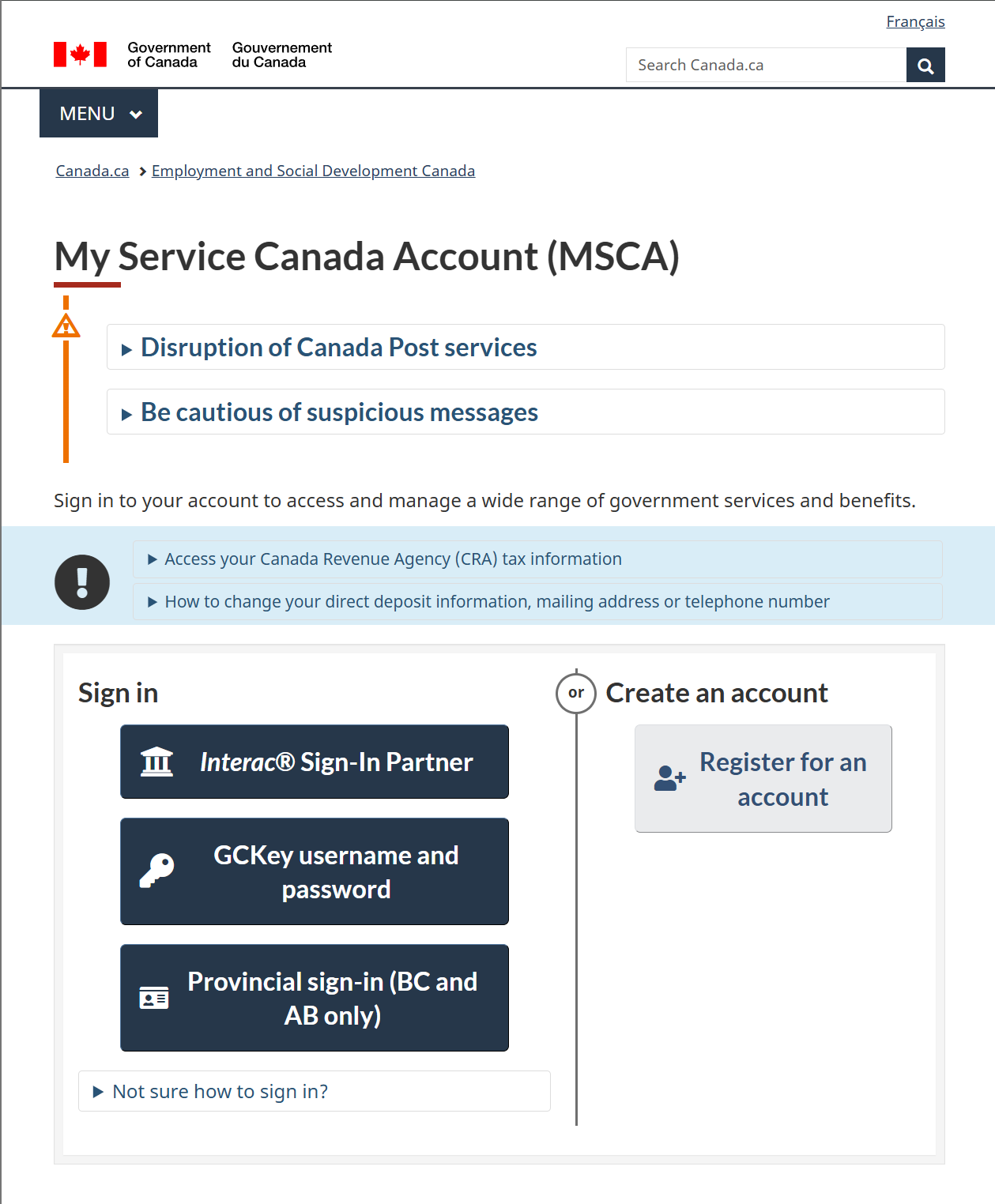
Register for an account
If you do not have an account, if you do, move on to the next section.
- Click " Register for an account"
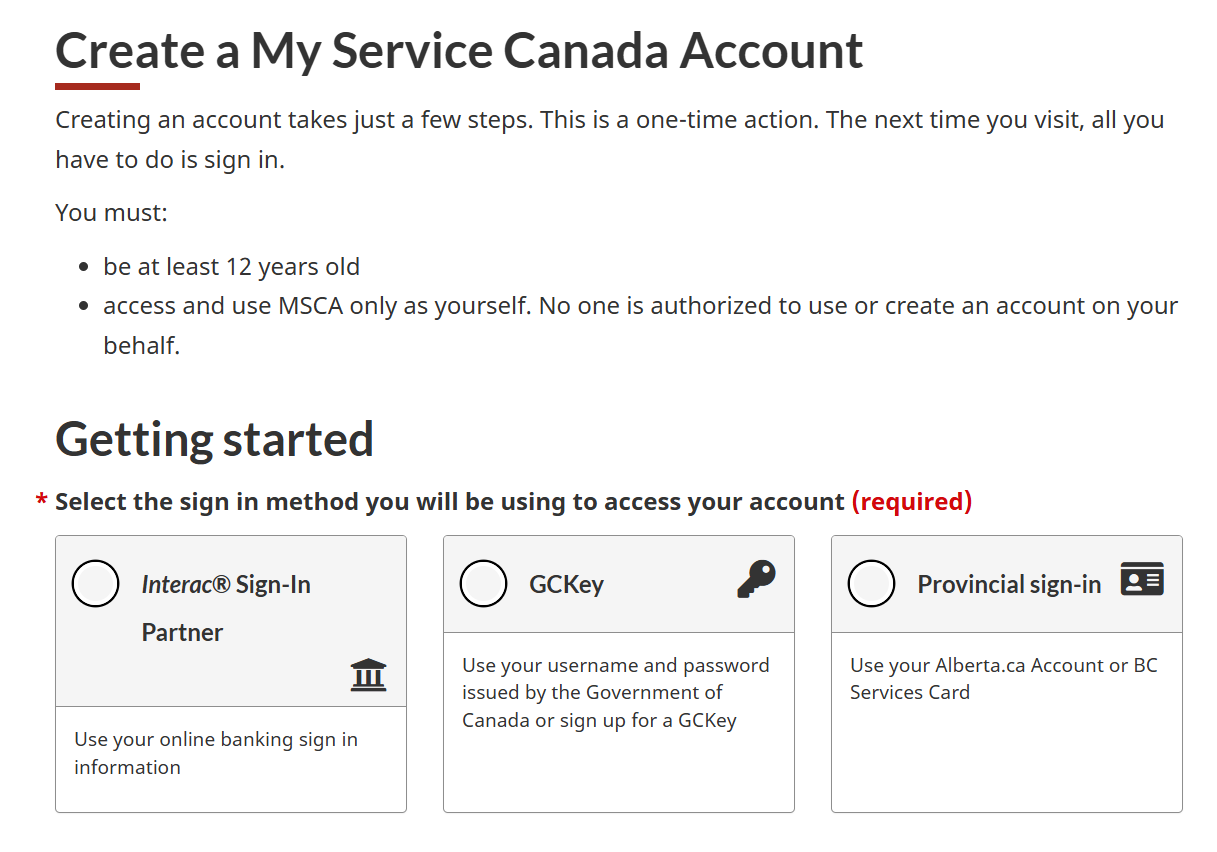
- Choose how you would like to register. The quickest way is to use the "Interac Sign-in Partner" option.
Log into your account
- Log into your account. Please ensure you have access to your phone as a on time passwords (OTP) will be sent to your phone.
- Once Logged i
CPP Statement of Contributions
220 words
Move Switching Themes
Open Switching Themes
How to switch themes (Light | Dark | Auto)
Objective: Switch between light or dark themes manually or automatically. Please note that for the moment, the dark settings are not fully implemented, so it is advised to work with the light theme for now.
Access your profile settings
- In the upper right corner click on top of your avatar icon (in the yellow box in the image below). From the drop down menu, select "Profile" (highlighted in yellow).
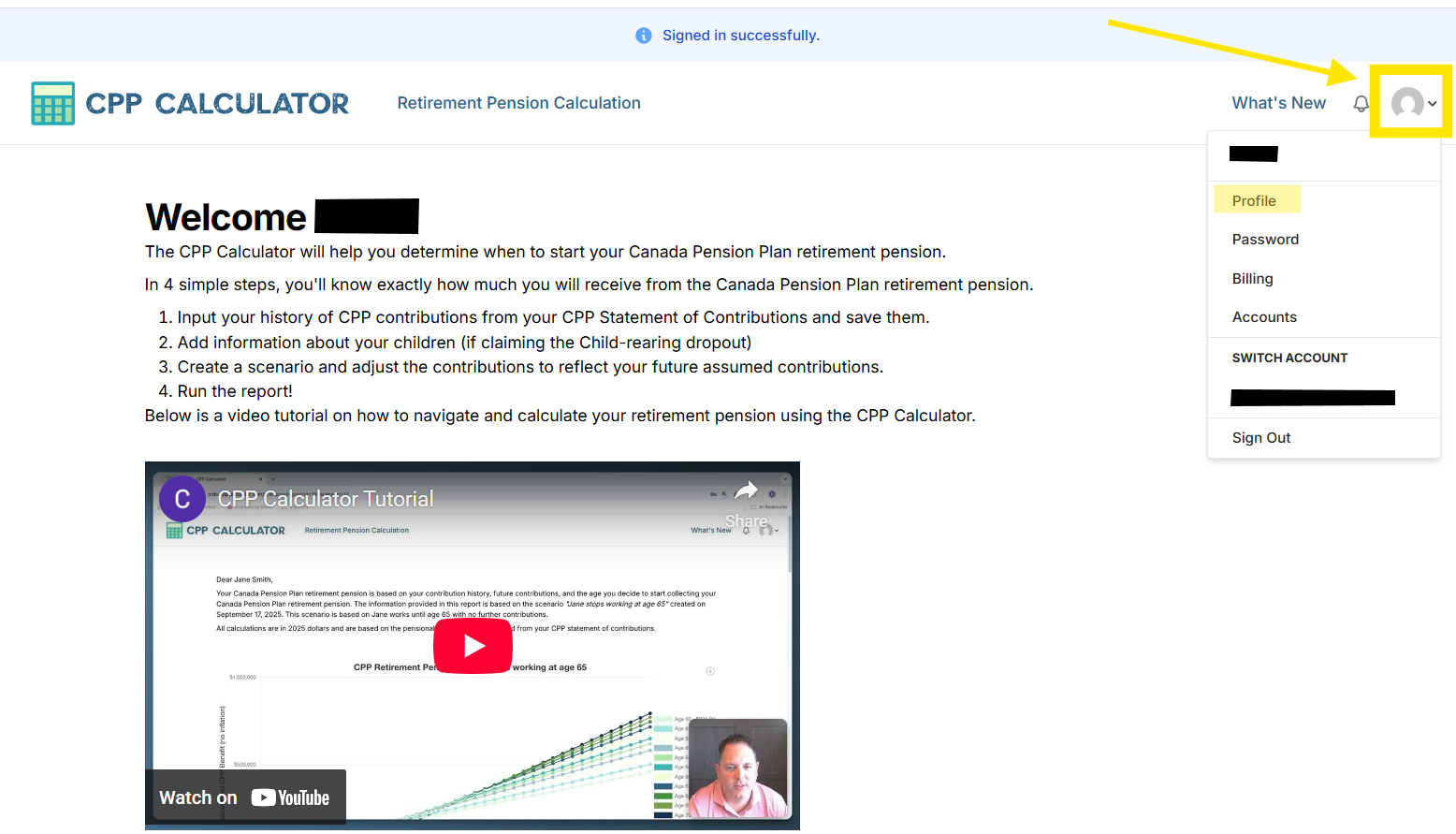
- Click anywhere in yellow box and a drop down menu will appear. See next step.
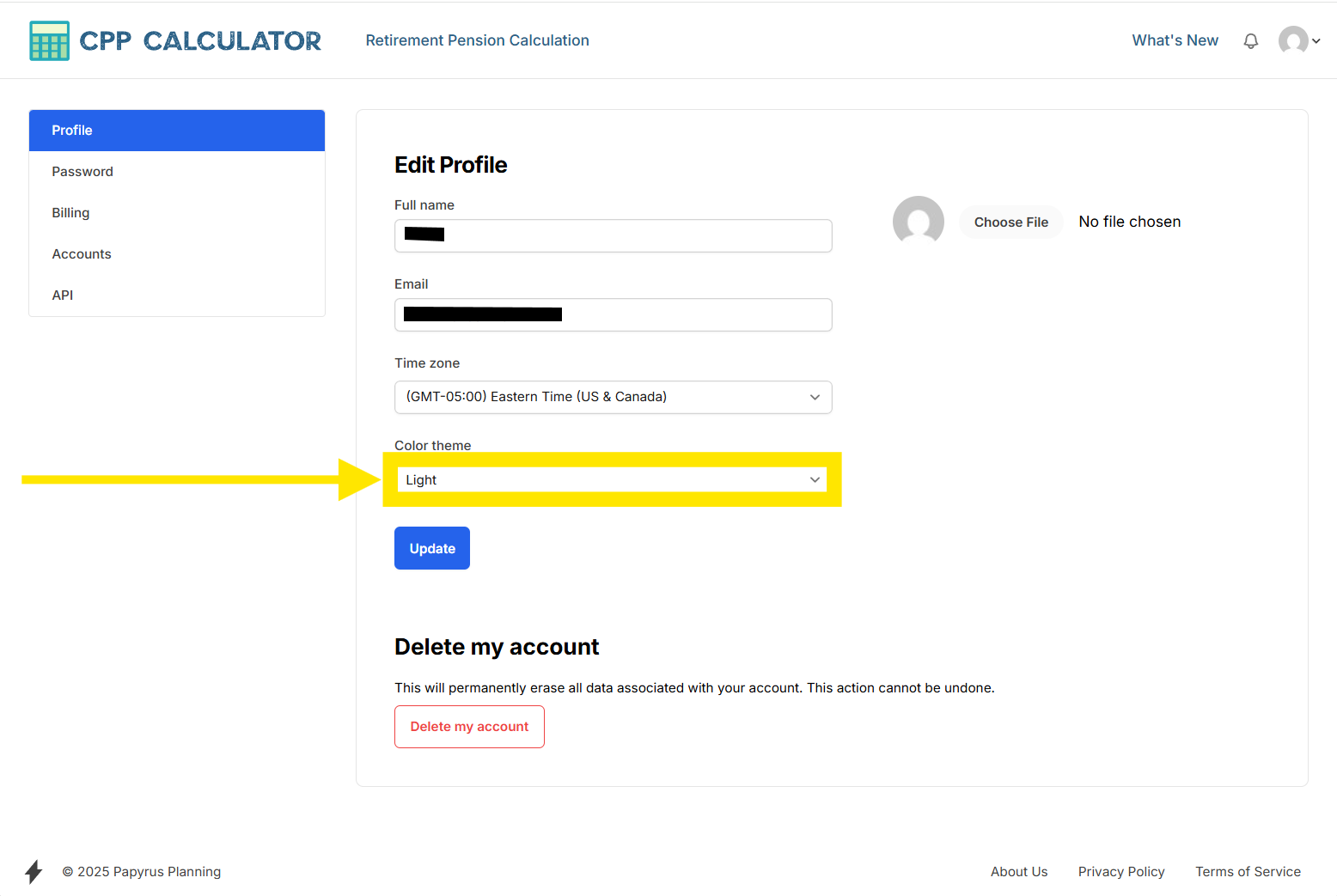
- From the dropdown menu, select your preferred theme.
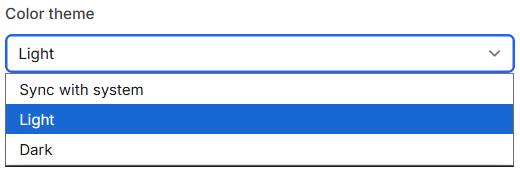
Nuance
“Sync with system” means the CPP Calculator will automa
Switching Themes
296 words
Move Suspending Automatic Billing
Open Suspending Automatic Billing
Suspending Automatic Billing
When registering for a monthly or annual plan the CPP Calculator will automatically renew at the start of a new month or year. If you wish to keep your subscription from automatically renewing, please follow the following steps.
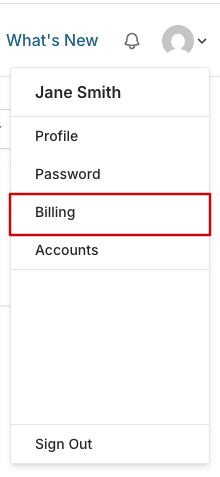
In the top right hand corner, click on the drop down menu.

From the drop down menu, click on Billing.
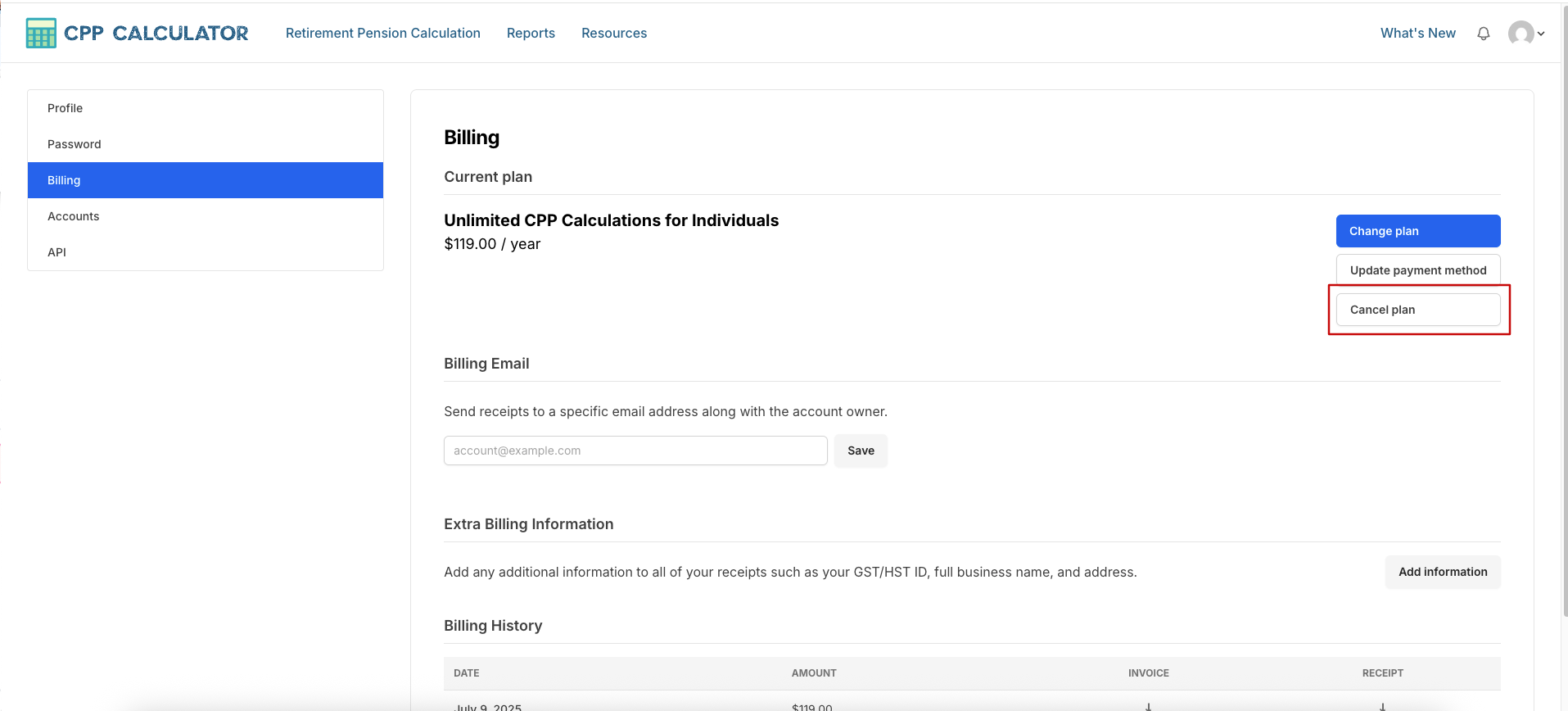
Under the blue Change Plan button, select Cancel plan.
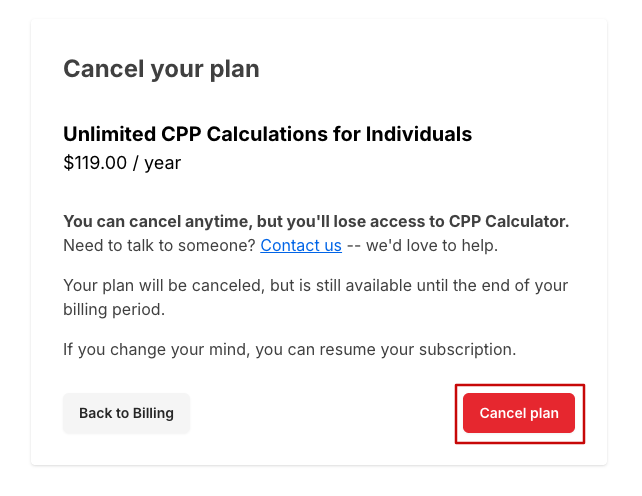
Select the red Cancel plan, and then confirm with the pop up message.
5
Suspending Automatic Billing
132 words