Suspending Automatic Billing
When registering for a monthly or annual plan the CPP Calculator will automatically renew at the start of a new month or year. If you wish to keep your subscription from automatically renewing, please follow the following steps.
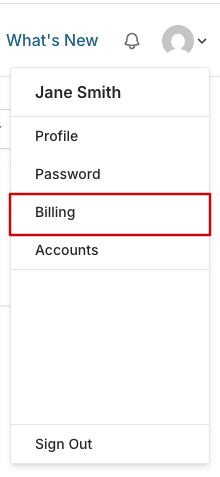
In the top right hand corner, click on the drop down menu.

From the drop down menu, click on Billing.
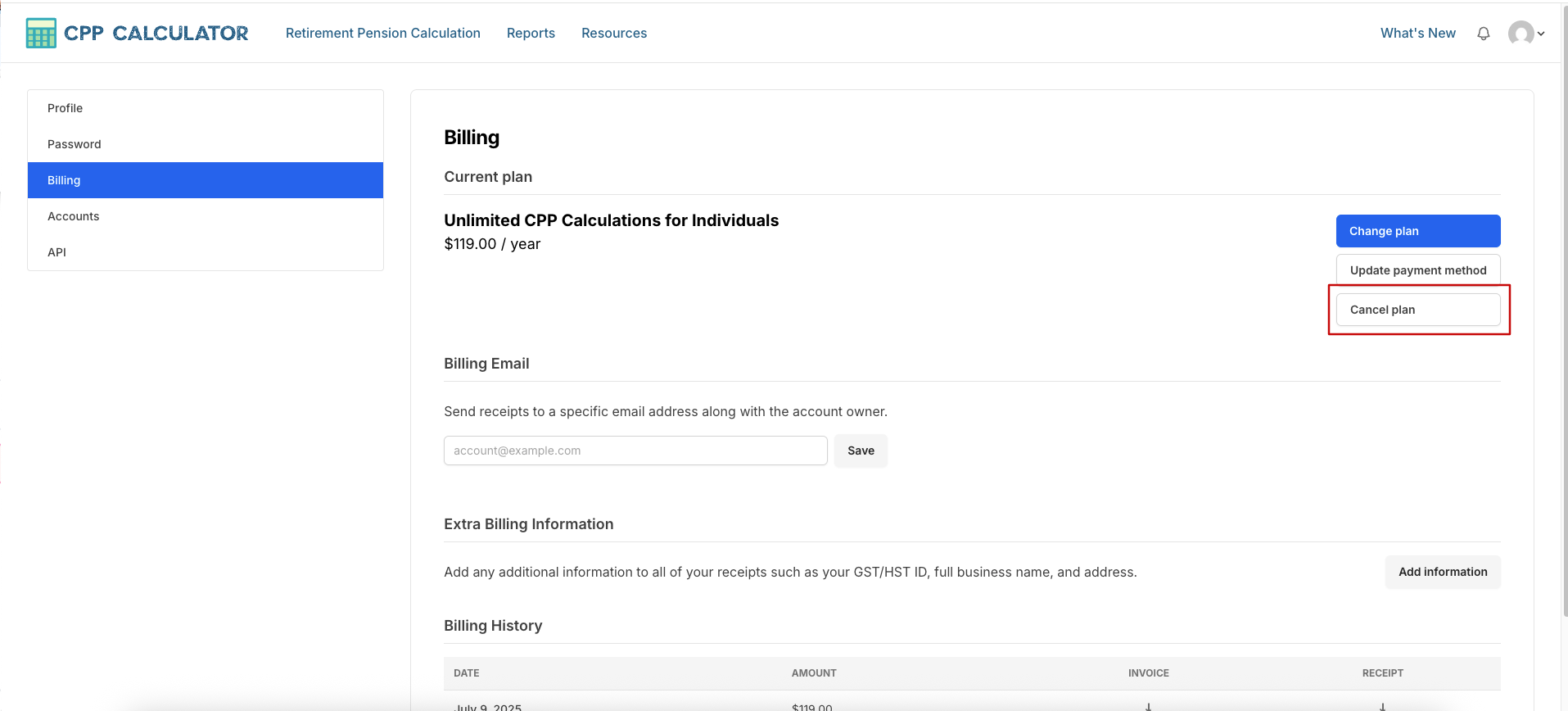
Under the blue Change Plan button, select Cancel plan.
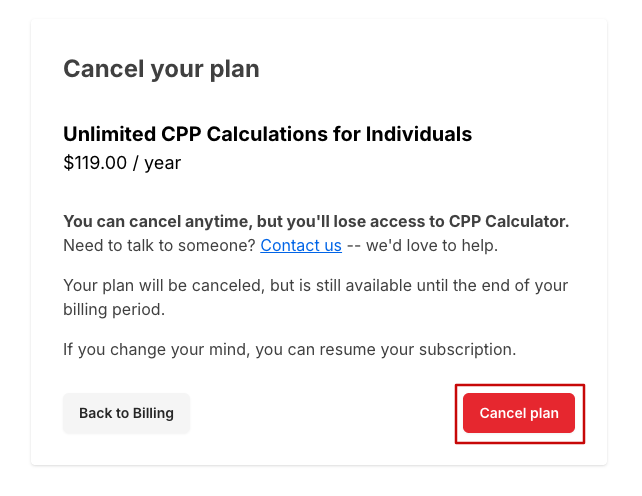
Select the red Cancel plan, and then confirm with the pop up message.
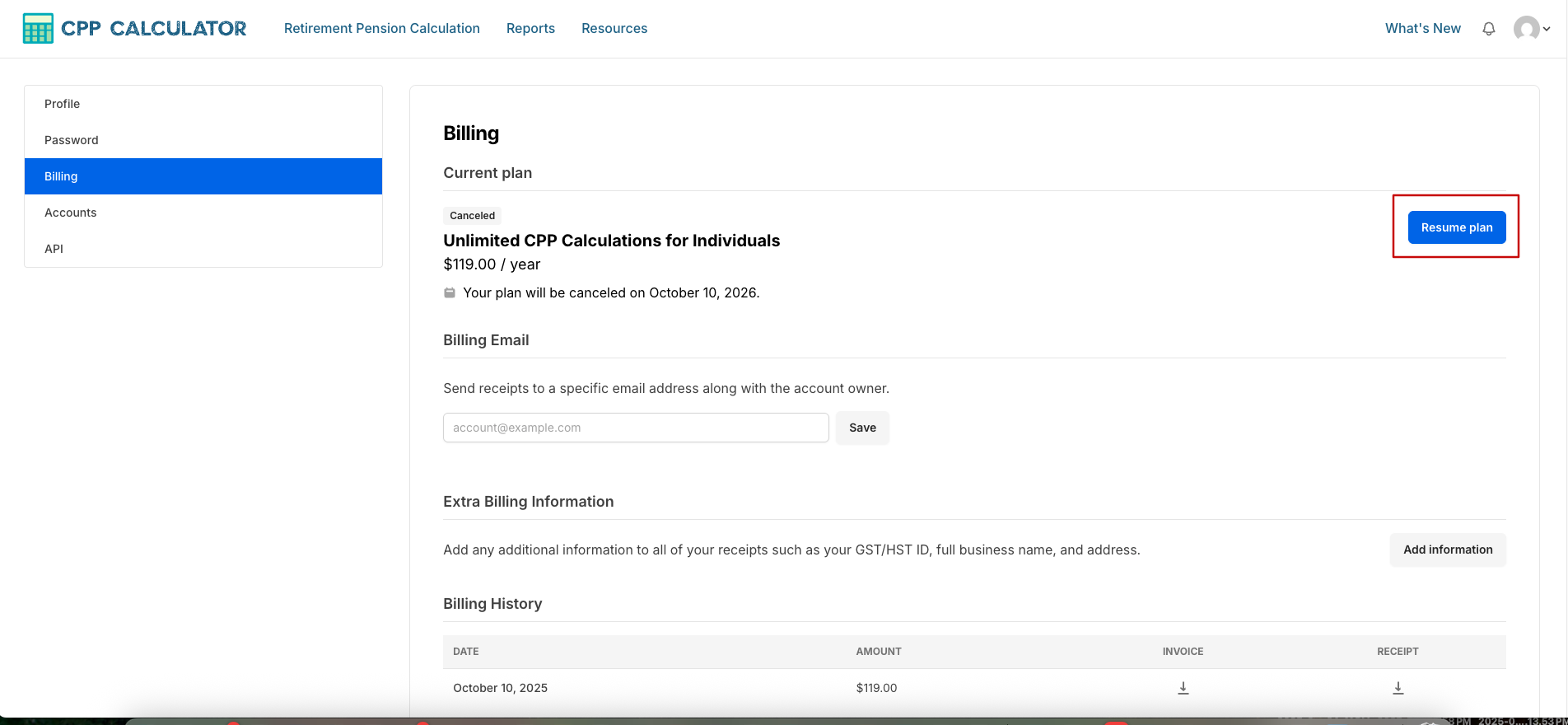
Whenever you would like to subscribe again, you may go back into your Billing and select Resume plan. The calculations from your prior active subscription will still be there and you may resume from where you left off.